



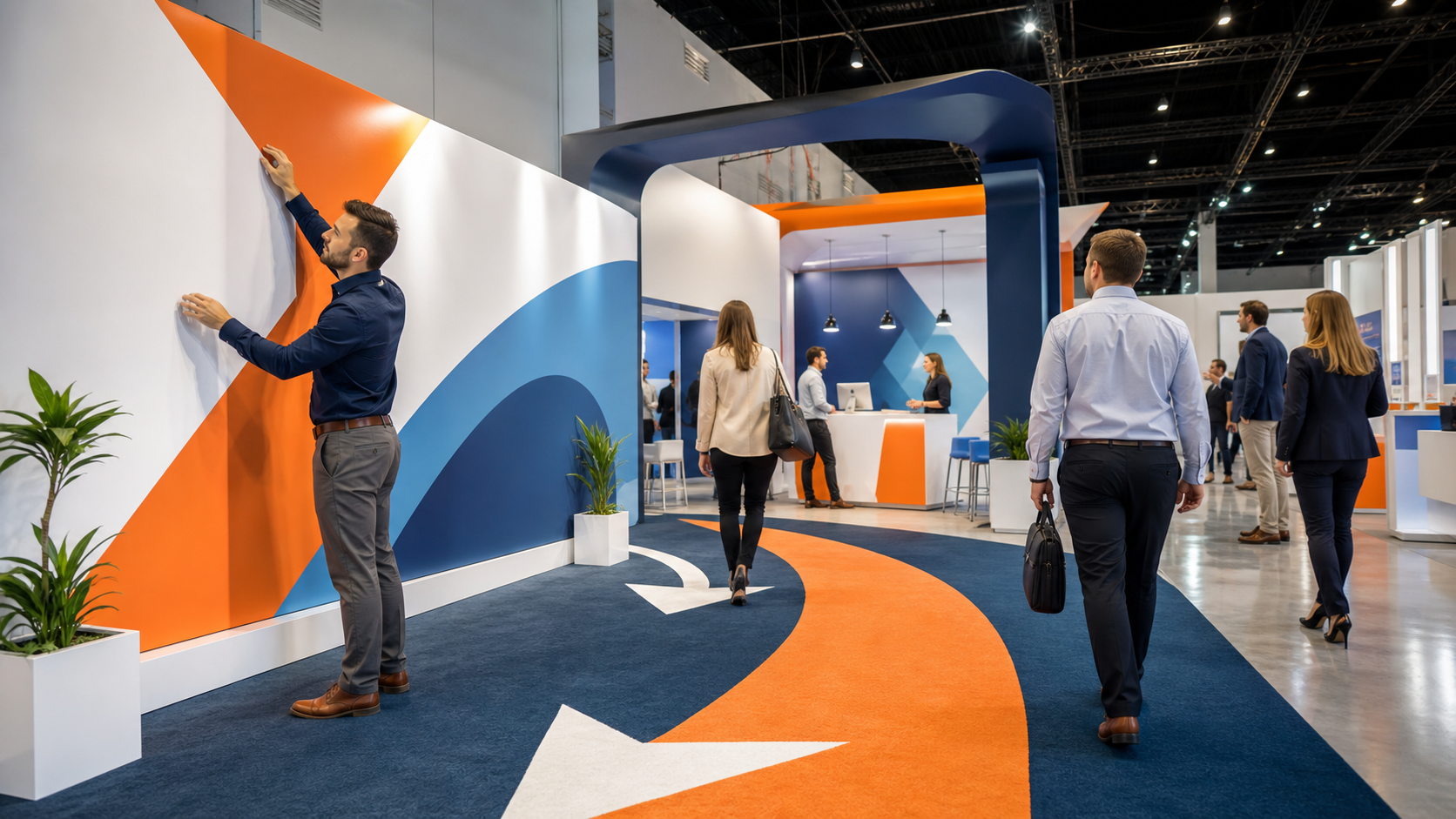
Trade show graphics should not just look pretty. They should quietly tell every passerby what to do next. When your booth is in a long row of noise and color, the displays that win are the ones that guide people from “What is this?” to “Oh, I should go there now.” That is the power of graphics that act like a guided path instead of static art.
We call this idea “wayfinding marketing.” It means your graphics do more than match your brand colors. They direct real actions: stop, scan, step in, try a demo, talk with a rep, book a meeting. This matters even more during packed Q4 and early-season shows, when aisles are crowded, budgets are tight, and you get only a few seconds before someone walks right past. At First Trade Show, we focus on building exhibits and graphics that work like clear signposts, with visuals, copy, and layout all aligned around one simple, obvious next step.
Turn Trade Show Graphics Into a Guided Journey
On a busy show floor, many booths blur together. Lights flash, screens loop, logos shout from every wall. An attendee stands there, scanning, trying to figure out where to go. One booth has beautiful graphics but no clear direction. Another booth has simple, bold signs that say exactly what to do next. Guess which one draws the crowd.
That is wayfinding marketing in action. Your graphics should:
- Answer “Who are you?” from a distance
- Explain “What do you do?” in a few words
- Make “What should I do now?” the easiest question of all
When planning fall and early-year shows, this is even more important. Aisles are packed, schedules are tight, and everyone is racing between sessions. You do not have time for people to study your booth like a brochure. You need graphics that gently guide feet, not just eyes.
Start with the One Next Step You Want Most
Before you design a single panel, decide on one primary next step. Not three. One. That step might be:
- Visit the live demo station
- Scan a QR code for a special offer
- Speak with a rep at a specific counter
- Book a meeting slot
- Sign up for a trial or download
The right choice depends on your sales cycle and show season. For fall shows, many teams focus on filling the pipeline for the new year, so the main action might be “Book a strategy session” or “Schedule a demo.” For early-year events, you might want people to start trials or commit to projects that fit fresh budgets.
Once you pick that one action, everything else falls into place. The primary next step shapes:
- Where your main call to action sits on your graphics
- Which visuals matter most and which you skip
- How much text you use, and what you leave out
When booths try to make attendees do everything at once, the opposite happens. A wall full of messages like “Visit our demo, join our webinar, take our survey, follow us online, grab a brochure” makes people pause, then move on. Clear, single-focus graphics let a busy attendee think, “Oh, I just need to do that.”
Design Visual Pathways That Move Eyes and Feet
Most attendees scan a booth in layers. First from far away to see who you are. Then from mid-range to see what you offer. Then up close to decide what to do. Your trade show graphics should guide that flow.
Think about a simple visual path:
- Top: who you are and a bold benefit
- Middle: a clean image or proof of what you do
- Bottom: the obvious next step, at eye or hand level
Use hierarchy to help the eye climb and land in the right spots. Big, clear logo and benefit at the top. Simple, not busy, imagery in the center so the booth feels open. A strong call to action near where people naturally stand or reach, pointing them to a demo, counter, or zone inside the booth.
Layered signage helps even more. Overhead hanging signs tell people where you are on the floor. Back walls carry your main message. Side walls, counters, kiosks, and floor graphics become guides that move people deeper into your space. In crowded fall and early-year shows, this prevents clogs at the aisle and draws people in instead of leaving them stuck on the edge.
Use Words on Your Graphics Like Road Signs
On your trade show graphics, copy is not a story; it is a road sign. People should be able to read it in three to five seconds while walking past. Every word must earn its space.
Good headlines are short, benefit-focused, and tied to a next step, like:
- “See Live AI Demo”
- “Claim Your Free Benchmark Report”
- “Book a Strategy Session in 5 Minutes”
Under that, microcopy acts as small nudges. Arrows with verbs like “Start Here.” Labels on zones like “Try It Yourself” or “Talk to an Expert.” Clear promises near QR codes, such as “Scan for Full Pricing Guide” or “Scan to Get the Checklist.”
During a busy fall show calendar, language needs to cut through noise. Skip vague jargon. Use active verbs that make people move. You can also tap into seasonal urgency with lines like “Lock in Next-Year Budget Pricing Today” as long as it is honest and fits your process.
Align Every Element Around One Clear Call-to-Action
Once your graphics are designed, it is time to test them. Stand back 20 or 30 feet, like an attendee in the aisle. Ask yourself: “If I knew nothing about this company, would I instantly know what to do first?” If the answer is no, something needs to be simplified or re-ordered.
Try to make every piece in the booth support that same main action:
- Main back wall: primary benefit and primary next step
- Side walls and counters: short support messages that point to the same action
- Tablets, banner stands, and small signs: repeat and clarify, not compete
Secondary actions, like grabbing a brochure or following on social, can sit in quieter spots, such as on literature racks or small desktop signs. They should never fight with the main instruction. When peak season hits and your team starts following up, people are more likely to remember your booth if they remember the one clear thing they did there.
Turn Guided Graphics Into Measurable Results
Guided graphics work best when you can see what they actually change. Pick one upcoming show as your test. Choose a single primary next step for that event and design your graphics around it from the start.
Then, make that step trackable. You can:
- Use unique QR codes on specific panels
- Create short, simple URLs tied to certain zones
- Color code areas of the booth and match those colors to CRM tags
After the show, review how people moved through your space. Where did they stop? What did they scan? How many demos or appointments came from the main graphic versus side signs? When trade show graphics are treated like a guided path instead of wall art, your booth stops being just a pretty space and starts working harder for every visitor who walks by.
Get Started With Your Project Today
Elevate your next event with custom trade show graphics that reflect your brand and attract the right audience. At First Trade Show, we work with you to create displays that are easy to use, durable, and visually compelling. Tell us about your goals and budget, and we will recommend solutions that fit your timeline. Ready to move forward or have questions about options and pricing, simply contact us to get started.